

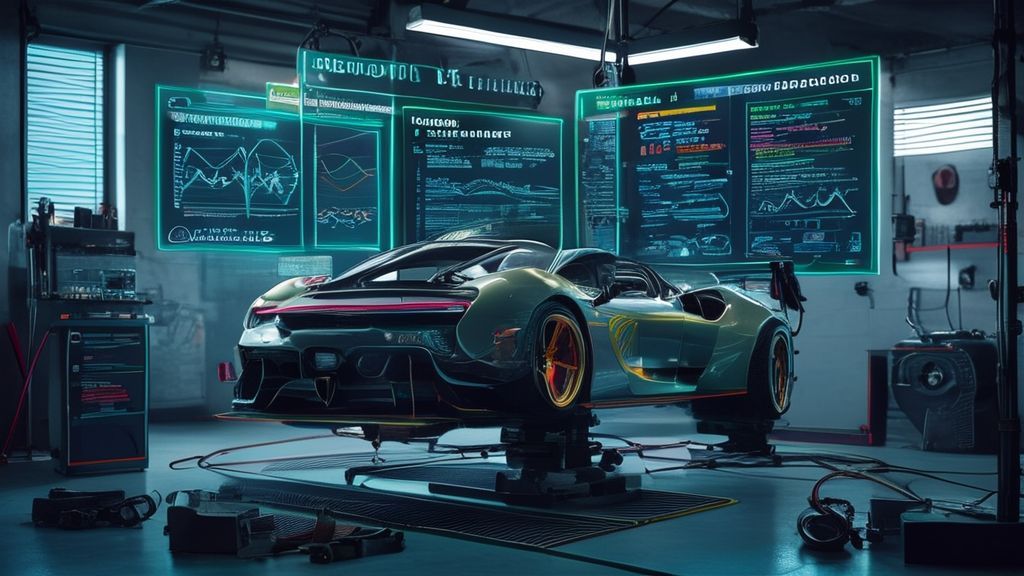

Vehicle Handling Editor Tutorial for Realistic FiveM Physics
Description: This guide explains how to use the vehicle handling editor to achieve realistic FiveM physics. It covers practical tuning techniques, common mistakes, and best practices for balanced, immersive vehicle behavior on FiveM servers.
Introduction
Ever driven a car on a FiveM server that felt like it was glued to the road or, worse, floated like a shopping cart on ice? That usually comes down to one thing: poor handling configuration. The vehicle handling editor is the core tool for fixing that. When used correctly, it allows you to fine-tune acceleration, traction, braking, and weight so vehicles feel believable and fun.
In this tutorial, we’ll break down how the FiveM handling editor works, how to tune realistic vehicle physics step by step, and how to apply these settings to custom or lore-friendly vehicles without breaking gameplay balance.
Key Takeaways
- Understanding handling.meta is essential for realistic FiveM vehicle handling.
- Small physics changes have a big impact on driving feel.
- Vehicle class and purpose should always guide physics tuning.
- Testing and iteration matter more than copying settings.
- Quality vehicle bases make handling tuning much easier.
What Is the Vehicle Handling Editor in FiveM?
The vehicle handling editor refers to the process of editing handling.meta files that control how vehicles behave in FiveM. These values define everything from top speed and acceleration to suspension stiffness and grip loss.
FiveM vehicle handling is inherited from GTA V, but FiveM allows server owners to override and customize these values per vehicle or globally. This makes vehicle physics tuning one of the most powerful tools you have for shaping player experience.
Why Realistic Handling Matters
Realistic handling improves immersion, reduces frustration, and helps differentiate vehicle classes. Sports cars should feel sharp and fast, sedans stable and forgiving, and supercars powerful but demanding. Without proper tuning, everything ends up driving the same.
Understanding Core Handling Parameters
Before editing anything, you need to understand what actually affects vehicle behavior.
Mass and Weight Distribution
fMass and vecCentreOfMassOffset determine how heavy a vehicle feels and how it behaves in corners. Heavier cars feel planted but slow to react. Poor center-of-mass values cause unrealistic rollovers.
Traction and Grip
Traction values define how much grip the tires have. Increasing grip too much removes challenge and realism. For believable FiveM vehicle handling, traction should match the vehicle’s role and performance level.
Acceleration and Top Speed
Values like fInitialDriveForce and fDriveInertia control how quickly a vehicle accelerates. These should scale logically with engine type and vehicle class, not just be maxed out.
Braking and Suspension
Braking strength and suspension settings heavily influence control. Stiff suspension improves responsiveness but can feel unnatural on uneven roads. Softer suspension improves comfort but reduces precision.
Step-by-Step: Tuning Vehicle Physics with the FiveM Handling Editor
1. Start With a Quality Vehicle Base
Good handling starts with good models. Lore-friendly and well-built vehicles save hours of correction work. You can find curated vehicle packs and individual models through trusted Tebex stores like this FiveM vehicle marketplace.
2. Edit handling.meta Safely
Always work on a copy of your handling file. Make one change at a time and keep notes. This avoids confusion and makes rollback easy.
3. Tune in Small Increments
Vehicle physics tuning is sensitive. A small change to traction or drive force can completely change handling. Adjust values gradually and test after each change.
4. Test In Real Scenarios
Test vehicles in city driving, highways, corners, and high-speed braking. A setup that feels good in one scenario may fail in another.
Common Handling Mistakes to Avoid
- Overpowered acceleration that breaks balance
- Excessive grip that removes driving skill
- Copy-pasting handling from unrelated vehicles
- Ignoring suspension and braking values
These mistakes usually lead to unrealistic or frustrating driving experiences, especially in roleplay-focused servers.
Applying Handling to Custom and Lore-Friendly Vehicles
When working with lore-friendly vehicles, realism is about consistency, not real-world specs. A Karin sedan should not outperform a Pfister supercar.
You can test and apply tuned handling to specific vehicles such as the Karin Sultan CTX, Pfister Comet S2 CTX, or high-performance models like the Pegassi Zentorno CTX.
For servers that want consistency across multiple vehicles, complete collections from vehicle packages or lore-friendly vehicle packs are ideal starting points.
Best Practices for Long-Term Handling Balance
- Group vehicles by class and performance tier
- Document your handling standards
- Re-test after FiveM or GTA updates
- Gather player feedback regularly
Well-balanced handling is never “done.” It evolves with your server and community.
Conclusion
The vehicle handling editor is one of the most important tools for creating immersive and realistic FiveM gameplay. By understanding how physics values interact and applying thoughtful vehicle physics tuning, you can transform how driving feels on your server.
Start with solid vehicle bases, make small adjustments, and test constantly. When done right, FiveM vehicle handling stops feeling like a limitation and starts feeling like a feature that sets your server apart. For reliable assets and structured vehicle setups, platforms like Tebex remain a dependable foundation.