Premium scripts for QBCore, ESX, Qbox & standalone Shop new scripts
FREE FREE Doors Creator
Overview

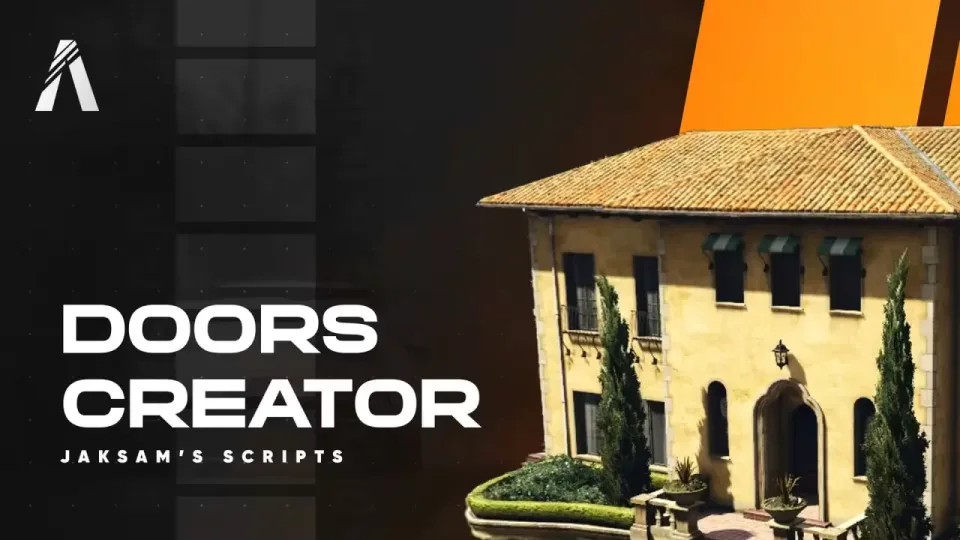
FREE Doors Creator

🚪 Why Doors Creator is your Best Choice?

  • Rapid Door Management: Quickly create and customize doors in just a few clicks
  • Advanced Customization: Tailor doors with unique access controls, security codes, and auto-closing features
  • Quick to begin with: Easily import doors from QB Doorlock and OX Doorlock
  • Efficient Bulk Editing: Quickly modify rules for multiple doors, saving valuable time
  • Innovative Vault Door Mechanics: Realistic, automated door movements with adjustable speeds and custom angles
  • Comprehensive Control: Extensive customization options including sound effects, remote unlocking, and lockpick options
  • User-Friendly Admin Commands: Simple /togglelock command for admins to control door access, or you can even lock them remotely directly in the menu

Doors Creator is not only a tool, it's a gift you'll do to your server!

🛠️ Effortless Door Management

Quickly create and customize doors with just a few clicks. It's super fast and intuitive

Doors Features

  • Simple Door Creation: Create doors instantly with a user-friendly interface
  • Door Naming: Easily identify doors by giving them unique names
  • Multiple Selections: Manage double doors or groups of doors effortlessly
  • Gates Support: Not just doors, manage gates too!
  • Default State Setting: Choose whether doors start locked or unlocked
  • Doors sounds: Customize the doors with the lock and unlock sound you prefer!
  • Remote unlock: Through the admin menu, you'll be able to lock and unlock all doors, wherever you are 🤯

🔧 Customizable Door Features

Easily customize each door to meet your specific needs and scenarios

Advanced Customizations

  • Access Control: Set doors to require specific jobs, ranks, or item for access
  • Security Codes: Enhance security with PIN or password requirements
  • Personalized Access: Assign doors to specific players for private access
  • Auto-Closing: Doors can automatically relock after a set time
  • Building Rules Integration: Link doors to building rules to control all doors faster

🔄 Seamless Integration and Sharing

Share and import entire buildings full of doors in seconds. Import existing doors from QB Doorlock and OX Doorlock with ease

Integration and Sharing Features

  • Quick Import: Easily import doors from QB Doorlock and OX Doorlock
  • Fast Building Setup: Share and import buildings with pre-configured doors quickly thanks to Nexus feature

⚙️ Advanced Options for Enhanced Control

Get more control over your doors with these advanced features

Extra Options

  • Gang Permissions: For QBCore, manage door access based on gang permissions
  • Lockpick Alert: Set up alerts for when doors are lockpicked

🏢 Buildings - Organize and Manage Doors Efficiently

Easily categorize and manage doors within your server buildings.

Building Features

  • Categories of Doors: Think of buildings as categories for organizing doors
  • Unlimited Buildings: Create as many buildings as you need
  • Quick Rule Editing: Modify the rules for multiple doors in seconds
  • Building Rules: Define rules like allowed jobs and required items once for all doors in a building
  • Bulk Editing: Change rules for multiple doors at once, saving time and effort

💰 Vault Doors - Advanced Door Mechanics

Transform doors with automated opening/closing features, ideal for scenarios like bank vaults

Vault Door Features

  • Automated Movement: Doors open/close exactly as a vault should do
  • Adjustable Speed: Control how fast the doors open or close
  • Custom Angles: Adapt the doors to fit any angle requirement
  • Flexible Settings: Use ratio or heading for precise control
  • Easy Heading Adjustment: A simple button to find the perfect heading for your doors

✨ Other Features - Enhanced Door Customization and Control

Customize your server's doors with a range of additional customizable features

Additional Features

  • Lock Animation Control: Enable/disable and edit door lock animations
  • Icon Customization: Change the size, image, and color of the lock icon
  • Doors Status Memory: Choose whether doors remember their status (locked/unlocked) after server restarts
  • Lockpicking Options: Set specific items to allow players to lockpick doors
  • Door-Specific Lockpickability: Decide if each door can be lockpicked
  • Admin Command: /togglelock command for admins to bypass door locks
  • Targeting compatibility: Works with QB Target and OX Target

🛠️ Installation

How to Install

  • Download the script
  • Extract to resources
  • Add 'ensure doors_creator' in server.cfg

Requirements

  • Requirements for ESX Version:

es_extended

  • Requirements for QBCore Version:

qb-core

  • Requirements for Both Versions:

A database and a script to connect to it (Example oxmysql or mysql-async)

  • Lockpick script by baguscodestudio
[ You might also like ]

Related scripts

About this FiveM script

FREE Doors Creator is a premium FiveM script for esx, qbcore, qbox servers. It’s part of the Marketplace catalog, a curated selection of battle-tested resources for QBCore, ESX and Qbox roleplay servers. Every script on Marketplace ships with lifetime updates, secure payments by Tebex, and a ticket system for technical support.

Whether you’re building a QBCore server from scratch, upgrading an ESX Legacy deployment, or migrating to Qbox, this resource drops in cleanly and runs at 0.00ms idle resmon. The config-first design means you can customize prices, permissions and locations without touching the core Lua.