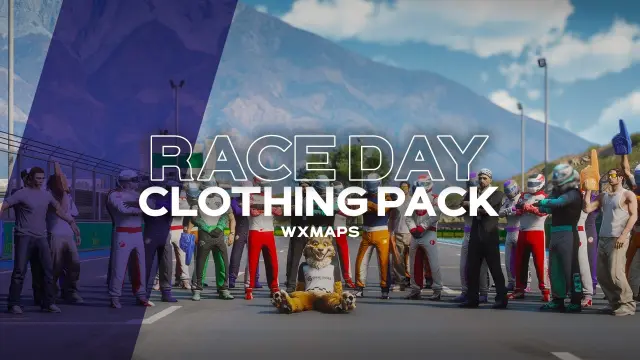
Raceday Clothing Pack by WXMAPS
$15.00
Full grid kits for drivers, pit crews and paddock VIPs
Lifetime updates
Character creation is the first thing a new player touches on your server, and the default menus show their age fast. Every appearance script here is built for ESX, QBCore or Qbox, and most slot straight in as replacements for qb-clothing or esx_skin.
Full grid kits for drivers, pit crews and paddock VIPs
Doctors run five hands-on surgeries with real training mode
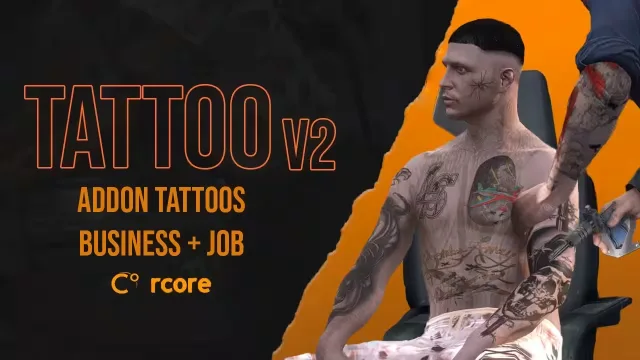
Tattoo minigame, henna ink and a shop players actually own
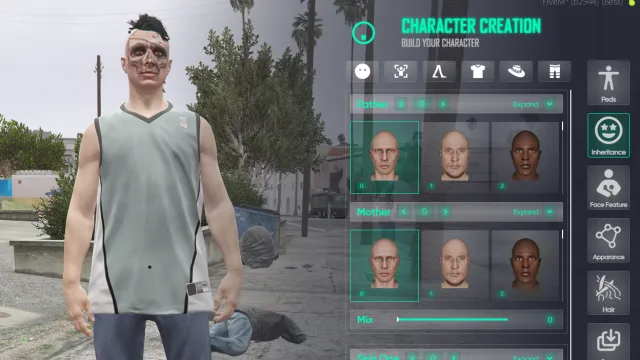
NoPixel-flavoured reskin of illenium-appearance with ox_lib menus
Every roleplay server needs its appearance stack working on day one, from the first ped customisation screen a new player sees to the police locker room where officers grab a uniform. The scripts in this category cover that whole chain: character creators, clothing stores, barber and tattoo shops, wardrobes and job outfits.
Most of these resources exist because the defaults were never good enough. esx_skin and the old skinchanger menus date back years, and qb-clothing frustrates players who came from bigger servers with its awkward cameras and endless component scrolling. Modern appearance scripts fix that with free-look cameras, searchable component lists, live previews for tattoos and hair overlays, and skin databases stored in a format other scripts can actually read.
The category also stretches beyond menus. Clothing as items turns shirts and hats into inventory objects, usually through ox_inventory metadata, so a jacket can be bought, dropped or taken in a robbery. Job wardrobes give police, EMS and gang members preset uniforms with grade restrictions. And if you stream addon clothing packs or EUP, the better scripts read your streamed drawables dynamically instead of shipping hardcoded lists.
Almost everything in this category supports ESX and QBCore, and newer releases support Qbox as well, usually through automatic framework detection or a single config toggle. The standard install pattern is a drop-in replacement: remove qb-clothing or esx_skin plus skinchanger, add the new resource, then run its import command or SQL to convert existing skin data. Many scripts depend on ox_lib for menus and callbacks, and clothing-as-items setups usually expect ox_inventory, so read the dependency list on each product page before checkout.
Custom clothing packs stream separately from the appearance script itself. The script gives you the menu and the persistence, your addon packs supply the drawables, and any script worth buying picks up new drawables automatically once the pack is streamed. That matters if your server adds clothing packs every month, because you should never have to edit the appearance script to make new items show up.
Escrow status varies by product. Open source versions let you edit the UI, camera positions, locales and shop locations directly. Escrowed versions still expose configs for shop coordinates, blacklists and job wardrobes, which covers what most servers need to change. Each product page states which model applies before you pay.
Every product page here lists framework support, dependencies and escrow status up front, so there are no surprises after checkout. We test appearance scripts against current server artifacts and the common stack of ox_lib and ox_inventory, not just a bare framework install. When a GTA update or a framework change breaks something, the updated files land in your account at no extra cost.
Support is the other half. Swapping a live server from qb-clothing to a new appearance system touches your database, your job scripts and every player's saved skin, and our support has done that migration on real servers. If your import throws errors at 2am before a wipe day, you are talking to someone who has seen that exact table before.
Yes. Framework support is listed on every product page, and most appearance scripts here support ESX, QBCore and Qbox from one download. The usual pattern is automatic framework detection or a single config toggle, so the same resource works whichever base you run.
Most modern appearance scripts include an import command or SQL converter that reads your existing skin table and translates it into the new format. Always test the conversion on a copy of your database first. If a product page does not mention migration, ask before buying, because rewiping appearances on a live server upsets players fast.
Yes. Addon clothing streams separately from the appearance script, and good menus detect new drawables automatically once the pack is loaded. EUP uniforms work the same way, and job wardrobe features let you assign those outfits to specific police or EMS grades.
Several scripts in this category support clothing as items, usually through ox_inventory metadata. Players buy a shirt as an item, use it to wear it, and can drop or trade it like anything else in their pockets. Check each product page for which inventory systems are supported, because implementations differ.
A properly built appearance script idles at 0.00ms and only climbs while the menu is open. Anything that sits higher while closed adds up quickly on a full server. Check the published resmon figure on the product page, and ask the seller if there is not one.
Both exist in this category, and each product page states which. Escrowed scripts still ship open config files for shop locations, blacklists and job outfits, which is enough for most setups. Open source versions let you change the UI, cameras and locales directly, which matters if you want a custom look for your server.