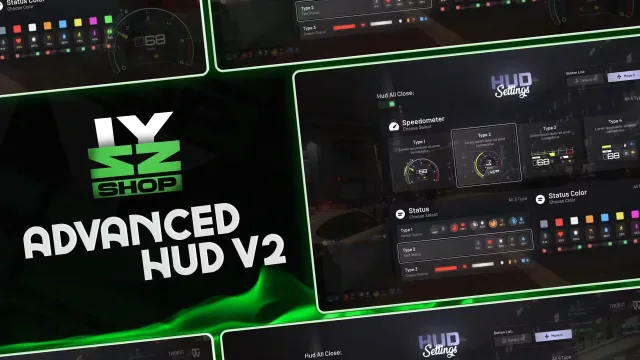
Free Advanced HUD by Izzy V7
FREE
Free HUD with 4 speedometer styles and tracked vehicle mileage
Lifetime updates
Your HUD is the one script every player looks at all session, so it has to look right and cost almost nothing. This category collects FiveM HUD and UI scripts for ESX, QBCore and Qbox, most of them standalone underneath with framework bridges for status values. Each product page states exactly what it hooks into and what it replaces.
Free HUD with 4 speedometer styles and tracked vehicle mileage
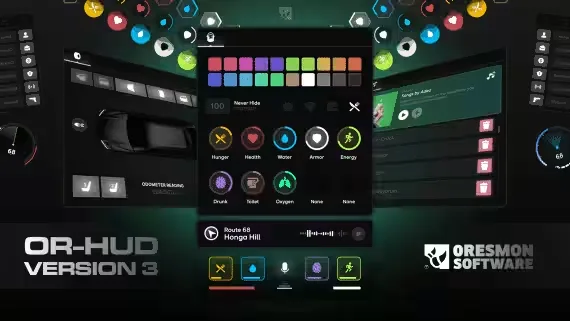
Free NoPixel-style HUD with 11 statuses and a 0.01 resmon

Runs at 0.00ms on foot and 0.01ms while driving
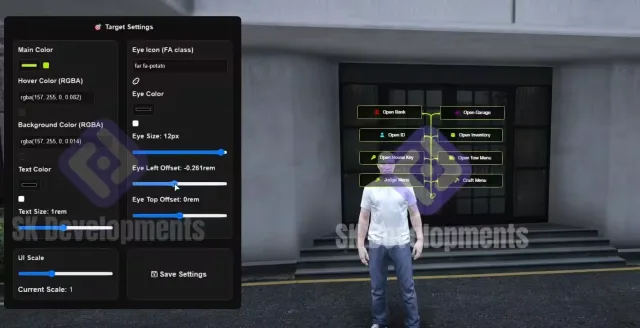
A 1:1 ProdigyRP 2.0 target rebuild on ox_target
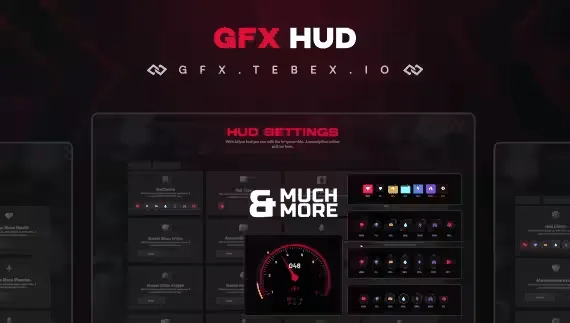
Free player HUD with four status styles and a nitro gauge
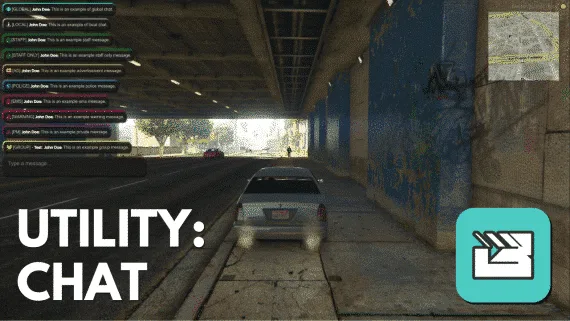
Clean chat UI with 11 built-in commands and JSON logs
Players judge a server in the first thirty seconds, and most of what they see in that time is interface. A default GTA HUD with the square minimap and stock white text tells them nobody touched the presentation. A clean status HUD, a custom pause menu and notifications that match your branding tell them the owner cares about the details. This category covers that whole surface: player status HUDs with hunger, thirst, stress and armor, speedometers and fuel gauges, minimap reskins, scoreboards, pause menus, notification and progress bar systems, and full UI suites that restyle everything in one install.
The catch with UI resources is that they never stop running. An inventory only costs you while it is open. A HUD renders from the moment a player spawns until they disconnect, so a badly written one is a permanent tax on every client on your server. Resmon numbers and update logic matter more in this category than anywhere else in the catalog.
Every listing in this category names its supported frameworks. Many HUDs are standalone at the render layer and only touch the framework to read status values, which is why the same script often ships ESX, QBCore and Qbox bridges in one package. If a script needs ox_lib or a specific voice resource such as pma-voice for its talking indicator, the product page says so.
Installation is usually drag-and-drop plus one cleanup step people skip: turning the old UI off. Ensure the HUD after your framework core and after ox_lib if it is required. Then remove or stop whatever drew the old interface, meaning qb-hud on QBCore, the default esx status display on ESX, and any standalone seatbelt, fuel or stress scripts that render their own icons. Nearly every report of doubled minimaps or duplicate hunger bars traces back to two resources drawing at once. Test on a dev server first, drive a car, take damage and talk on voice, because those three actions exercise almost every element a HUD draws.
We list the facts that decide a UI purchase up front: framework support, dependencies, escrow status and what the script replaces. You will not find out after checkout that a HUD requires ox_lib or ships fully encrypted NUI files, because that sits on the product page. Updates flow through your purchase as creators patch for new framework versions, which matters for HUDs since a metadata change in QBCore can blank a status bar overnight. And when a new HUD fights an old resource on your server, that is a support conversation we have had a hundred times, so ask before you tear your resources folder apart.
Check it while playing, not at the character select screen. A well written HUD should sit between 0.00ms and 0.05ms on the client with the speedometer and minimap active. Anything that holds above 0.10ms for the whole session is taxing every player for a cosmetic feature.
Many do, because the interface itself is standalone and only the status values come from the framework. Check the product page for the bridge or config option that switches frameworks. Also note whether Qbox is supported natively or through the QBCore bridge.
Most paid HUDs let you toggle individual elements like the minimap, compass, speedometer or stress bar in the config. Several also ship an in-game editor so players position and scale elements themselves. If you already run a separate speedometer, disable one of the two or they will overlap.
It describes the look, a rounded minimap with slim status bars and muted colors similar to what NoPixel runs. It is a design reference, not their code. Any script sold under that label is an independent recreation of the style.
Another resource is still drawing its own UI. The usual culprits are the framework default HUD such as qb-hud or the old esx status display, plus standalone seatbelt, fuel or voice scripts with their own icons. Stop or remove the old ones and the duplicates disappear.
For UI it matters more than for most script types, because you will want to match your server's colors and fonts. Escrow is fine when the NUI files, meaning the HTML and CSS, stay open and only the Lua is locked. If everything is encrypted you are stuck with the stock look.
Some full UI suites restyle the pause menu, scoreboard and notifications together, while smaller releases cover only the status HUD. The product page lists exactly what each script replaces, so read it before assuming you are getting a bundle.