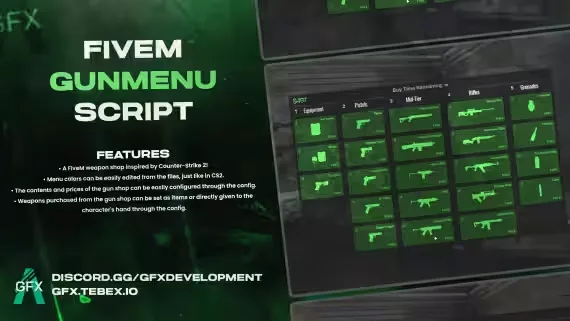
GFX CS2 Gun Menu
$10.00
A CS2 buy menu bolted onto a FiveM weapon shop
Lifetime updates

GFX Development is a FiveM creator with a tight two-script catalog aimed at QBCore, ESX and Qbox roleplay servers. The work leans standalone-friendly, so most of it drops in without a framework rewrite. Expect useful player-facing tools rather than sprawling job systems.
GFX Development takes the opposite approach to most FiveM stores. Instead of a wall of half-finished jobs and vehicle packs, the catalog is two resources, both aimed at things every server actually needs: a HUD your players read without thinking, and a weapon menu that stops people fumbling through the F-key wheel.
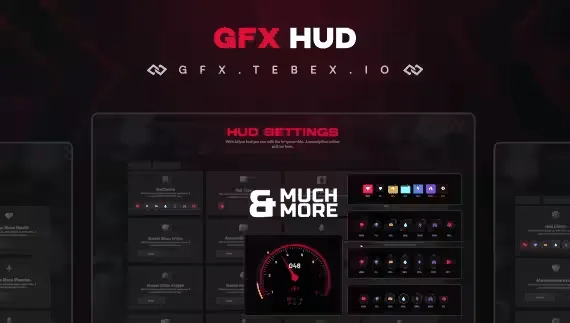
That narrow focus shows in the products. The free GFX Advanced HUD is the calling card. It handles the core status readouts (health, armour, hunger, thirst, stamina, mic status, server ID, vehicle info) in a clean layout that fits under a NoPixel-style presentation without copying one. Being free means you can drop it on a test server, see how it feels against your other UI resources, and decide whether it stays before you spend a cent.
The paid side is the GFX GunMenu. It gives players a radial-style menu for the weapon in their hands, so switching attachments, checking ammo or holstering does not need a bespoke command or a long ox_lib context menu chain. It is the kind of quality-of-life script most servers cobble together from three different resources, and GFX ships it as one.
The GFX house style is UI-first. Both scripts live on the player's screen, and both are built to look at home next to the polished HUDs and inventories most roleplay servers now run. Nothing here is trying to be an economy overhaul or a heist framework. The pitch is simpler: the parts of the game your players stare at for hours should feel good.
A few things stand out across the two resources:
This is a creator who ships small and finishes what they start, rather than announcing a police MDT they will never patch.
Both scripts are written for the three frameworks most servers actually run: QBCore, ESX and Qbox. Because the resources are UI-driven rather than economy-driven, the framework hook is thin, which is why the same build covers all three without a separate branch.
Installation is drag-and-drop. Pull the resource into your resources/[gfx] folder, add it to server.cfg, and edit the config file to line the HUD up with your other overlays or to bind the GunMenu to the key your players expect. There is no SQL to import for the HUD, and the GunMenu reads weapon data from the player's ped rather than a custom database table, so there is nothing to seed.
A couple of practical notes for QBCore and ESX admins:
qbx_ fork needed.Resmon numbers stay low because the HUD only redraws when a value changes and the GunMenu only exists on screen while a weapon is drawn.
Buying from this store means instant delivery to your account, keys that stay linked to your CFX identifier, and access to future updates through your library without chasing DMs. The free HUD downloads the same way, so you can test the creator's work before deciding whether the GunMenu is worth the spend. If you run QBCore, ESX or Qbox and want two clean UI pieces without dragging in a 40-script mega-pack, GFX Development is a low-risk starting point.
Both current resources are built for QBCore, ESX and Qbox. The scripts are UI-driven and standalone-friendly, so the framework hook is thin and the same build works across all three without a separate branch.
Yes. It is a full HUD release, not a demo or trial. You add it to your library at no cost, drop it into your resources folder, and get the same update access as any paid item.
It gives players a menu for the weapon currently in their hands, so switching attachments, checking ammo or holstering runs from one interface instead of scattered commands. It reads weapon data from the ped, so there is no database setup.
The GunMenu is designed to sit next to inventories like ox_inventory rather than replace them. The Advanced HUD will overlap if you leave your framework's default HUD running, so disable one before starting the other.
Both are lightweight. The HUD only redraws when a value changes rather than every frame, and the GunMenu only renders while a weapon is drawn, so idle cost stays very low.
Drag the folder into your resources directory, add the resource name to server.cfg, and edit the config file for colours, positions or keybinds. There is no SQL import for the HUD.
Yes. Purchases and free claims are linked to your CFX identifier through your account library, so any updates the creator ships are available to you from the same download page.