New Sale
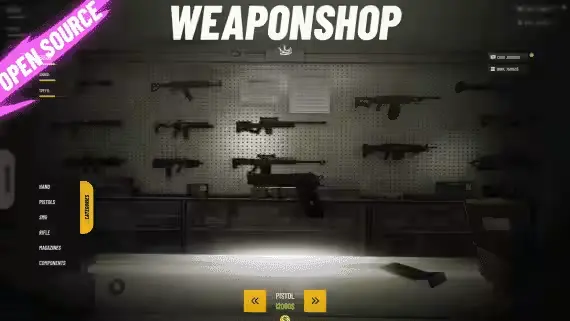
Weaponshop UI by VMS
$10.00
$8.10
Weapon store with rotating displays and item-based components
Lifetime updates

VMS Store's catalog leans on replacements for the default framework shops, barber, clothing, tattoo, weapon and a vehicle shop that covers several dealerships, plus utility resources like a spawn selector, player-owned gas stations and a Tebex case opener. Framework support is listed per product across ESX, QBCore and Qbox, so match it against your setup before checkout. Updates continue after release, which matters when artifacts roll and the shops you rebuilt your economy around need to keep working.

Weapon store with rotating displays and item-based components
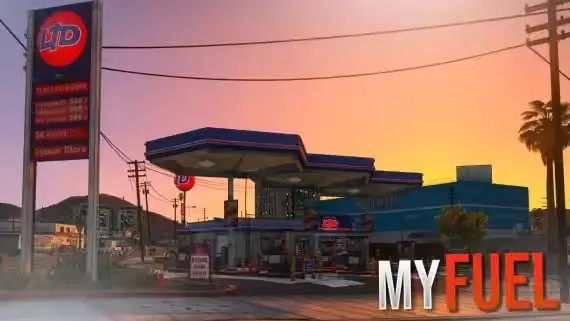
Own the pump, set the price, run the missions
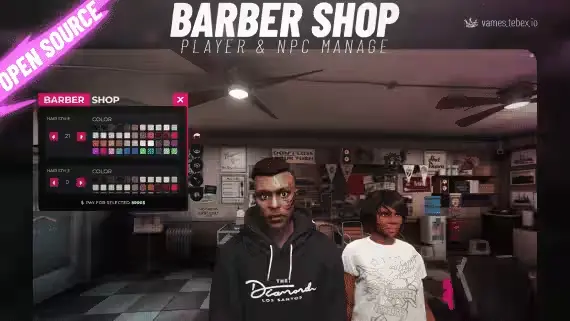
Player-run barbershops with per-category pricing and synced cutting animations
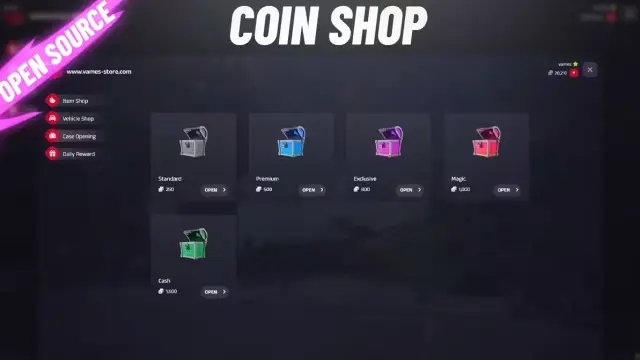
Sell cases on Tebex, roll them in-game with configurable drop rates
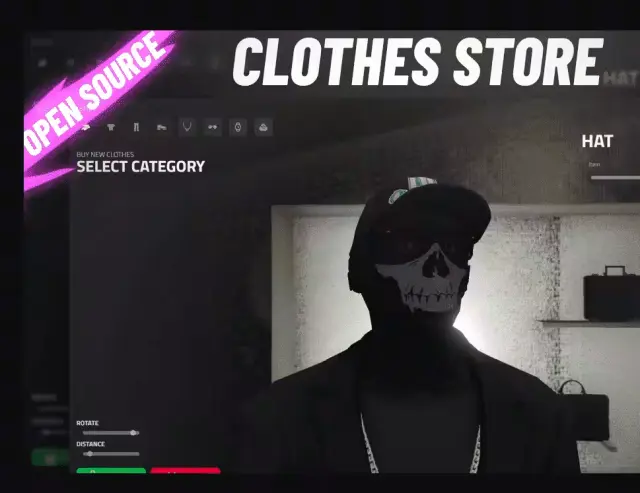
Camera locks to whichever body part your ped is editing
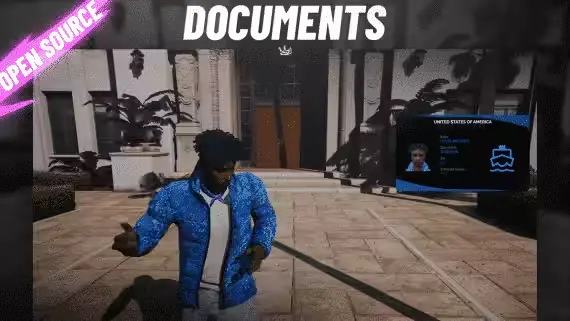
Photo ID cards and licenses with an in-game mugshot camera
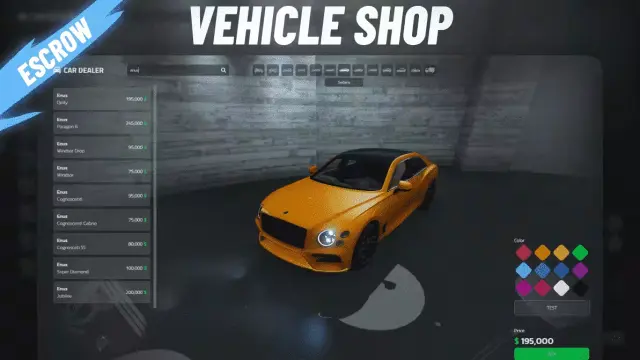
One vehicle shop script that runs cars, planes and boats
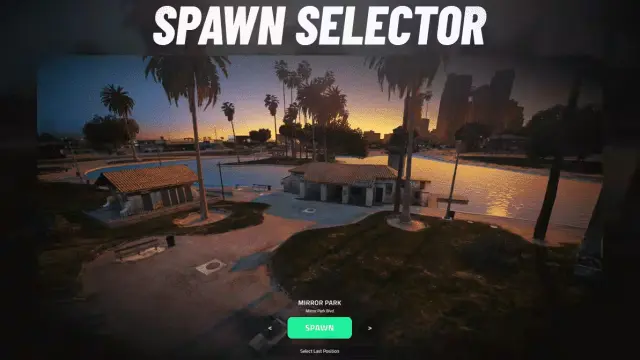
Character spawn picker that plays nice with multichar
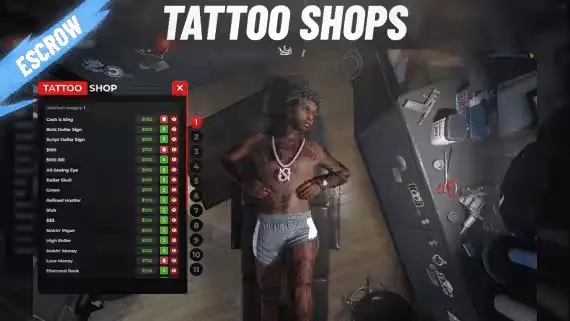
Player-run tattoo studios sitting at 0.00ms outside interiors
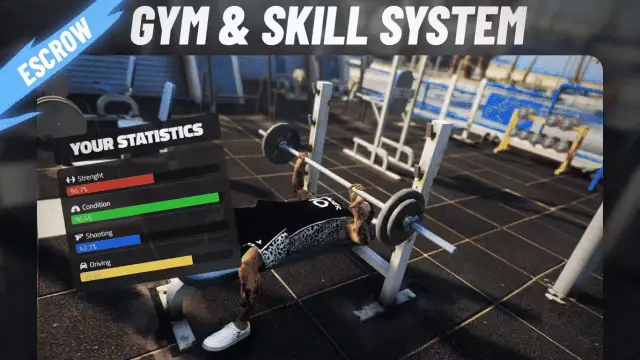
Free gym script with stamina, strength and character stats
Most FiveM catalogs sell you the same list of things the framework already ships, with slightly different UIs bolted on. VMS Store's catalog reads like someone actually got tired of the defaults. The clothing shop has proper animations on the try-on flow. The vehicle shop supports several dealerships out of one resource. The barber, tattoo and weapon shops are drop-in replacements for qb-barbershop, esx-tattooshop and the weaponshops that ship with each framework, rebuilt around config depth rather than a fresh coat of paint.
Around those shop replacements sits a smaller layer of gameplay resources: player-owned gas stations with special fuel, a spawn selector that works for QBCore and ESX, an ID card resource that leans on qb-licenses, a free gym script with a skills layer, and a Tebex case opening script for stores that want to run keys and cases through their donation shop. It is a focused catalog, ten products, and every one of them targets a piece of the server most owners eventually rewrite anyway.
The signature is that these look like tools written by someone who runs the same shop scripts every day and got fed up with the corners the free ones cut. vms_clothingshop puts animations on the fitting flow instead of a static menu. vms_vehicleshop V5 splits into several dealerships so you can run PDM, luxury, motorcycles and boats without duplicating the resource. VMS_BARBER and VMS_TATTOOSHOP replace the default framework versions with the same slot in your economy but a lot more control over prices, categories and permissions.
Configuration depth is the second signature. Deep config here means prices, items, jobs, locations and shop stock, not just a color picker and four booleans. The pattern across the catalog is that the defaults will run, but the point is that you rewrite them. If your city runs a hardcore economy or a whitelist community with its own item names and job flow, that is where these scripts earn back their price.
Longevity is the third. VMS resources run on a large enough install base that a break gets reported by a lot of servers at once, and updates keep coming after purchase rather than the script freezing at version 1.0 and rotting.
Framework support is listed on each product page. The catalog covers ESX, QBCore and Qbox, and shop replacements like the barber, tattoo and weapon scripts explicitly slot in for the qb- and esx- versions with names that make the swap obvious (VMS_BARBER for qb-barbershop or esx-barbarjob, VMS_TATTOOSHOP for qb-tattooshop or esx-tattooshop, Weaponshop for qb-weaponshop or esx-weaponshop). Check the exact framework and dependency list for the specific product before checkout.
Install follows the usual pattern. Drop the resource into your resources folder, add the ensure line to server.cfg, load any listed dependencies in the right order, and then actually sit down with the config before you open the city. If you are replacing a default shop, stop or remove the old one first so both are not fighting over the same blip and events. vms_idcard needs qb-licenses on QBCore setups; the vehicle shop and gas stations touch items and jobs, so plan those changes with the rest of your economy in view.
Buying VMS Store from a creator page on this store gives you the whole catalog in one view. You can see the shop replacements next to the gameplay resources, compare vms_vehicleshop V5 against your current dealership setup, and check whether the gym script and player-owned gas stations fit the loop you are building.
Every product page carries the framework requirements, dependencies and a concrete description of what the script does. That is enough to make a purchase decision without joining another Discord. Open the ones that fill a gap in your server, verify the framework match, load the dependencies in order, and give yourself an evening with the config file before you announce anything. Do that once and you get the outcome VMS is actually selling: a shop or system that fits your city and keeps working through the next round of artifact updates.
The catalog covers ESX, QBCore and Qbox, but not every script targets all three. Check the framework list on the specific product page before checkout, since a resource like vms_idcard leans on qb-licenses and several others are named after the qb- or esx- shop they are meant to replace.
Yes, for the ones named after them. VMS_BARBER is a replacement for qb-barbershop and esx-barbarjob, VMS_TATTOOSHOP replaces qb-tattooshop and esx-tattooshop, and Weaponshop is a swap for qb-weaponshop and esx-weaponshop. Stop or remove the old resource before starting the VMS version so they are not fighting over the same events.
vms_vehicleshop V5 is the fifth iteration of VMS's vehicle shop and ships with support for several dealerships in one resource, so you can run PDM, luxury, motorcycles or boats without duplicating the script. Prices, categories and locations sit in the config. Check the product page for current framework support and any dependencies.
Yes. The gym and skills script is listed as free, so you can install it and see how VMS's config layout and update habits look on your server before you spend anything on the paid resources.
VMS Store's own commitment is long-term stability, and with these resources running on thousands of servers a broken artifact update gets reported quickly. Updates continue after release rather than the catalog freezing at version 1.0. Watch the product page for changelog notes when you update your server.
It pairs your Tebex donation shop with in-game case opening, so players buy a key from your store and open a case in the city. The script is aimed at server owners running keys and cases through Tebex rather than as a pure gameplay loop. Setup details are on the product page.
Yes. The product is listed as a Spawn Selector for QBCore and ESX, so one purchase covers both frameworks. Confirm the current version and any dependencies on the product page before installing.