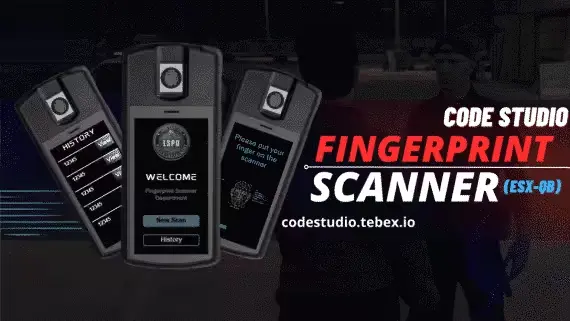
Free Fingerprint Scanner
FREE
Free fingerprint prop scanner with a synced two-player UI
Lifetime updates

Code Studio ships a small FiveM catalog aimed at QBCore, ESX and Qbox servers: a boss menu for jobs and gangs, a breathalyzer, a synced car radio, a drug progression loop, and a genuinely free fingerprint scanner. The lineup is deliberately narrow, so each resource does one job and stays out of the way of everything else on your server.
Free fingerprint prop scanner with a synced two-player UI
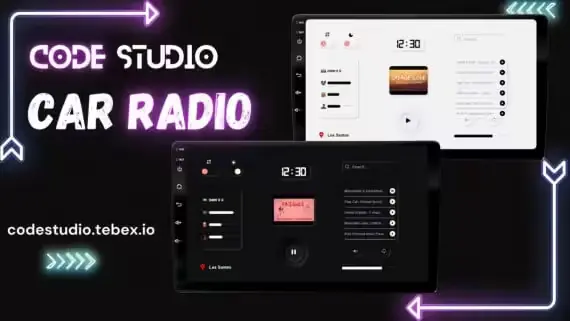
Play any track through xsound, synced to every player in range
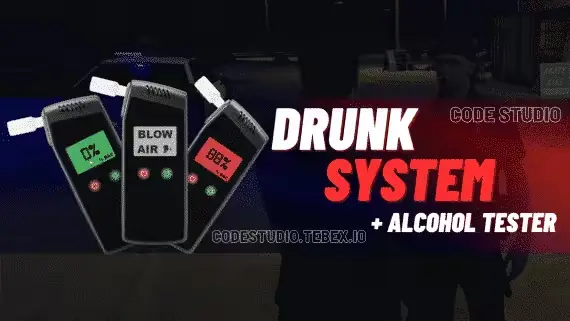
A standalone breathalyzer that reads BAC through a proper prop animation
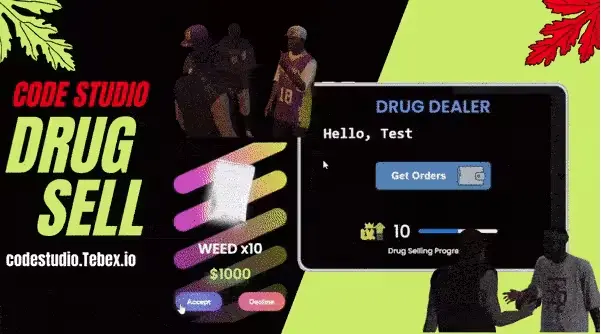
Dealers level up into bigger zones and better drug prices
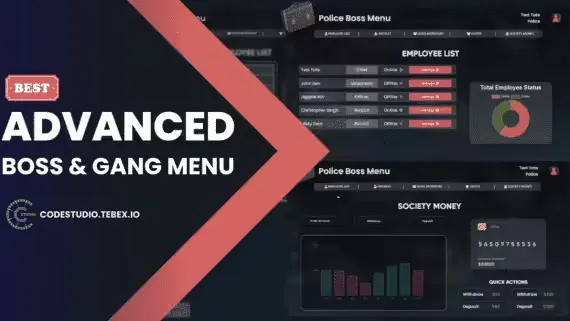
One boss menu that runs a job, a business or a gang
Code Studio's FiveM catalog is small on purpose. Five products, each aimed at a real job a server owner deals with often: paying out jobs and gangs, running a sobriety check on a stopped driver, giving dealers a progression loop instead of a flat sell price, syncing a car radio between everyone in the vehicle, and putting a working fingerprint scanner in reach of communities that can't justify a paid one. Nothing in the lineup is trying to be a suite. Each script picks one thing FiveM roleplay already needs and does it cleanly.
That focus shows up on the buyer side. You know within a minute of opening a product page whether the script fits your server, because there isn't a page of feature bullets to wade through. If your community runs a QBCore economy where jobs and gangs share a boss role, the Boss Menu for Jobs and Gangs slots into that exact pattern. If your police roleplay leans on realistic traffic stops, the Breathalyzer & Drunk System gives officers a tool to act on suspicion instead of guessing.
The through-line across Code Studio's resources is that they solve one problem without dragging the rest of your server into it. The Boss Menu for Jobs and Gangs is a single interface both sides of the economy already understand, instead of two separate scripts with drift between them. The Server Synced Car Radio with Control UI is a small feature by itself, but the sync layer is what makes it usable in a full car of players rather than an awkward per-client toy. Drug Selling With Level Progression turns what most servers ship as a flat sell command into a loop players actually chase, without asking you to rewire your economy underneath it.
The Free Fingerprint Scanner is worth calling out on its own. Fingerprint tools have been a paid-only category in FiveM for a long time, and Code Studio giving one away against QBCore, ESX and Qbox means smaller communities can run the same forensic angle in their police roleplay that larger servers charge for. It sets a useful baseline for what the rest of the catalog reads as: practical roleplay tools, sensibly scoped.
Visually, the scripts lean on legible UIs that read fast in the middle of an actual scene. Boss menus, car radio controls and drug tracking are all things a player interacts with while other roleplay is happening around them, and the interfaces reflect that. Nothing here is trying to win a screenshot competition; the aim is that the resource still feels correct on your server months after install.
Every listed Code Studio product on this page targets QBCore, ESX and Qbox, which covers most of the framework mix a modern FiveM server is running. Double-check the individual product page before you buy though, since some resources may be scoped to a subset of those frameworks or expect a specific inventory or target system alongside them. The product page is the source of truth for exactly what a script needs.
Installation follows the pattern FiveM developers already know. Drop the resource into your resources folder, add it to your server.cfg, install any listed dependencies, and open the config to line values up with your economy, jobs and permissions. For the Breathalyzer & Drunk System and the Drug Selling script in particular, the config is where you'll want to spend a few minutes: BAC thresholds, drunk effects and drug progression curves all read very differently depending on how strict your server's roleplay is, and the defaults are a starting point rather than a fixed setting.
Bring a test server or staging build when you're integrating any of these. Job and gang menus in particular can interact with existing management scripts you already run, and it's cheaper to catch that clash on a staging build than in front of your live population.
This page lists Code Studio's full catalog in one place, with framework compatibility, dependencies and pricing shown up front on every product. You're not stitching information together from a Discord pin and a forum thread; the page itself is the spec sheet.
Purchases deliver instantly, so a boss menu or synced radio you decide on tonight is on your test server tonight. The Free Fingerprint Scanner is genuinely free and downloads the same way, which is the fastest way to sanity-check Code Studio's install quality before you spend on anything larger. Browse the five scripts above, match them against what your server actually runs, and pick the ones that solve a problem you already have.
The catalog targets QBCore, ESX and Qbox, which covers most modern FiveM servers. Some individual resources may still be scoped to a subset of those or expect specific dependencies alongside them, so confirm the supported frameworks on the product page before you buy.
Yes. Code Studio's Free Fingerprint Scanner is listed alongside the paid catalog and downloads the same way, without a payment step. It's a useful sanity check on install quality and code style before you commit to a paid resource.
Dependencies vary from script to script and are stated on each product page. Some resources will lean on your existing inventory, target system or framework helpers, so read the page carefully and match those against what your server already runs before buying.
It gives you a single interface that both jobs and gangs share, instead of two separate scripts drifting apart over time. That's the main reason to reach for it: consistent behavior on both sides of the economy and one config to manage.
It turns a flat sell command into a loop players level up in, with progression curves you tune in the config. Level thresholds and payout scaling live in the config file, so you can line the pace up with your server's economy without touching the source.
Purchases deliver instantly, so the download is available as soon as payment clears. You install the resource into your resources folder, add it to your server.cfg, and work through the config the same way you would with any other FiveM script.
The Free Fingerprint Scanner is the intended entry point. It runs against the same frameworks as the paid catalog and installs the same way, so you can measure Code Studio's install experience and code style against your server before spending anything.